
IDBank card payments in your WooCommerce store
Secure IDBank card payments in WooCommerce — multi-currency, saved cards, subscriptions, HPOS.
To accept IDBank payments on your website, first apply directly to IDBank. Once your application is approved, contact us to set up IDBank payments on your site.

How it works
A professional WooCommerce extension for IDBank’s payment system. The customer is redirected to IDBank’s PCI DSS compliant page with 3DS2 authentication, pays, and returns to the shop with the order status already updated. Accepts AMD, USD, EUR and RUB. Rated 5★ on WordPress.org.
What the customer sees. What you see.
- Shoporder placed
- Bank page3-D Secure
- Returnwith the result
- Verificationshop ↔ bank
- Paidorder updated
What the plugin does
Multi-currency
AMD, USD, EUR and RUB once the bank enables it for your account.
PCI DSS and 3DS2
Payment happens on the bank’s page; no card data touches your site.
Card binding
Customers save cards for faster future checkouts — stored by the bank, not by the shop.
WooCommerce Subscriptions
Full support for recurring payments.
Refunds from the order
Refunds are sent to IDBank’s system straight from the order page.
WPML compatible
Full support for multilingual websites.
HPOS and WooCommerce Blocks
Works with High-Performance Order Storage and the block checkout.
Test mode and automatic updates
Sandbox with IDBank test credentials; updates arrive automatically.
One settings screen. Nothing to code.
Everything lives under WooCommerce → Settings → Payments. Paste what the bank gave you, pick the mode, save.
- 1Enable the method and give it a name customers will recognise
- 2Paste the credentials from IDBank
- 3Test mode on → one test payment → test mode off
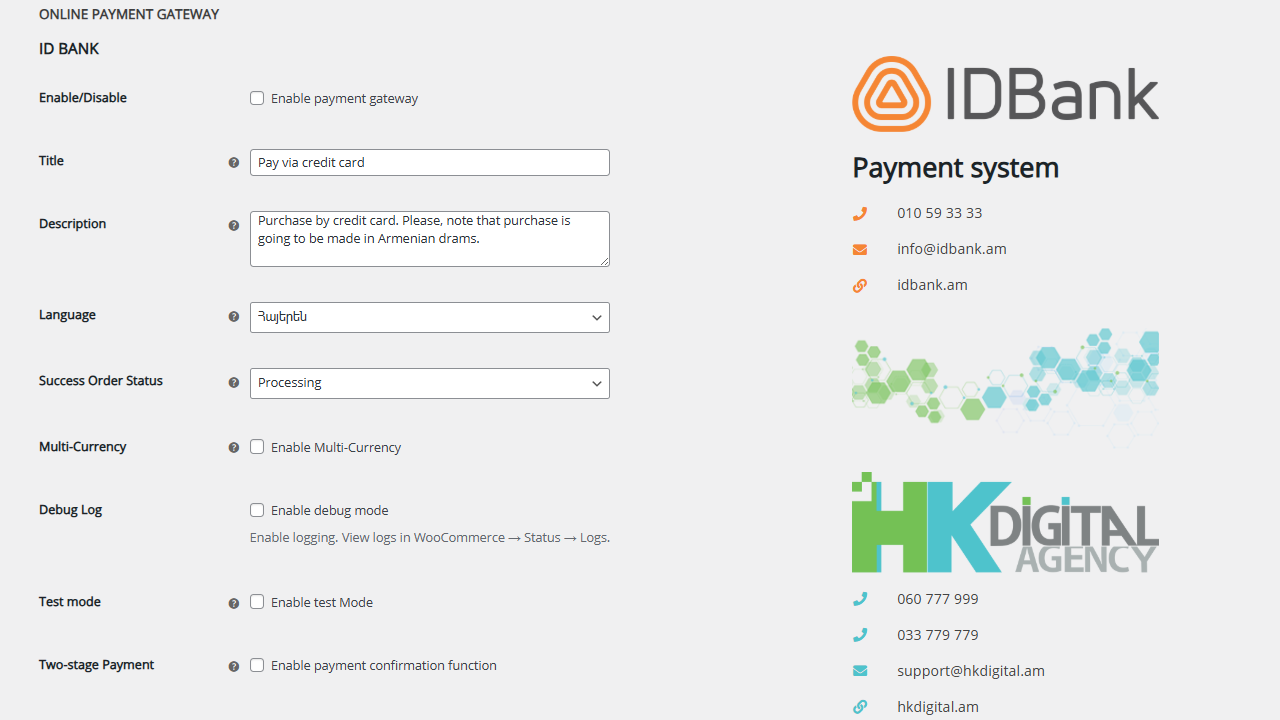
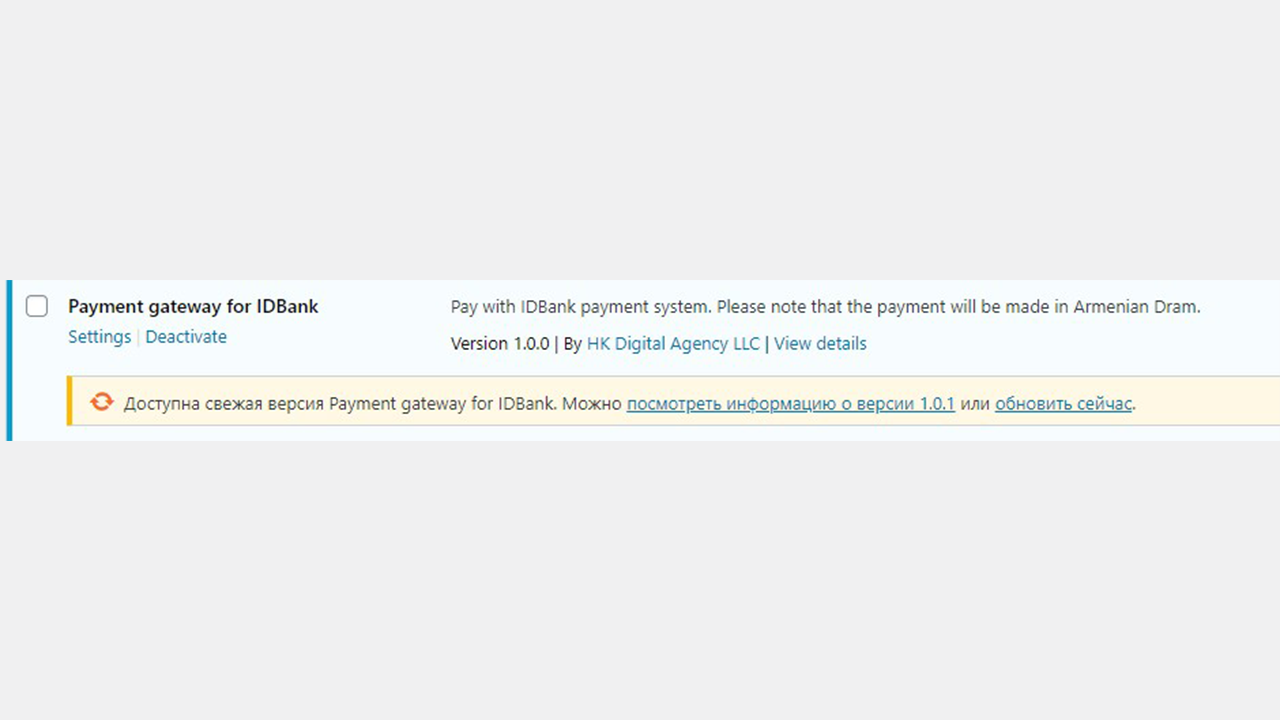
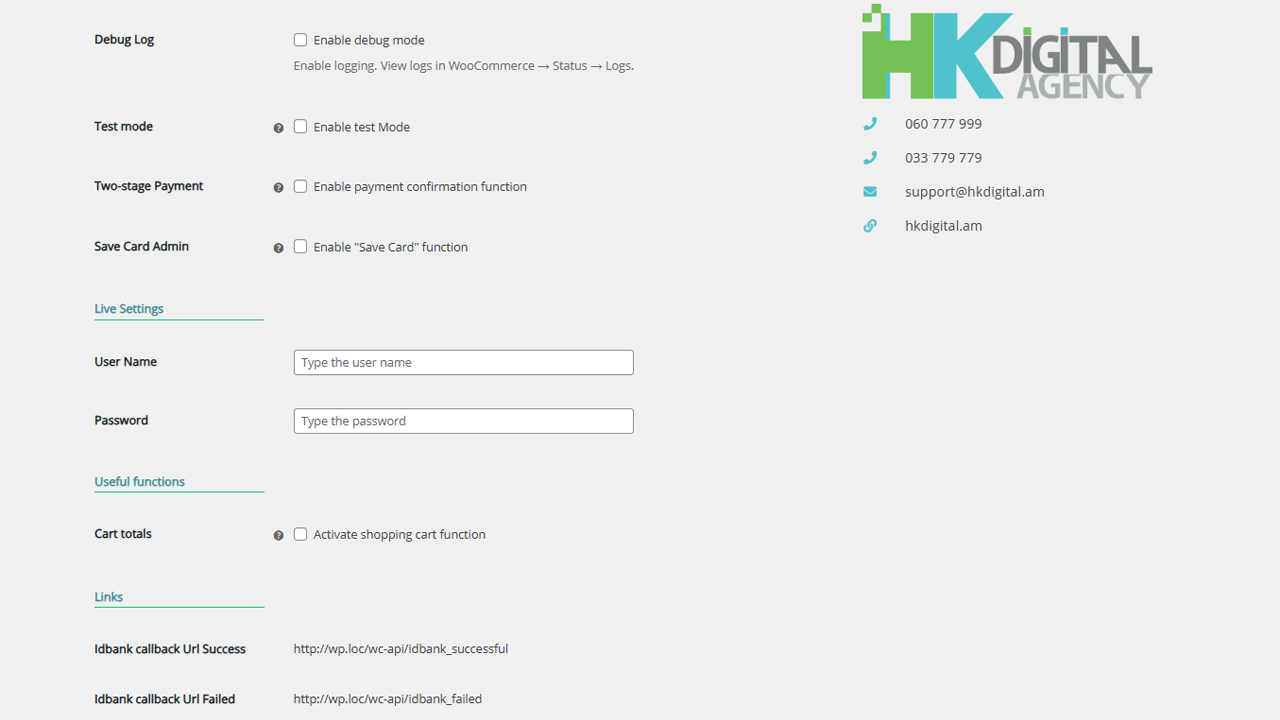
From download to first payment
- 01
Install
One click from the WordPress plugin directory — no ZIP files, no FTP.
- 02
Connect
Paste the merchant credentials IDBank gave you. Choose test mode.
- 03
Test
Make a test payment, check the order and the receipt.
- 04
Go live
Flip the switch. Payments land on your account, orders update themselves.
Four things. Tick them and you are ready.
- A merchant agreement with IDBankA merchant account with IDBank — 010 59 33 33 · [email protected]. Licence activation through us (paid service).
- WordPress with WooCommerceWordPress 5.0 or newer.
- An SSL certificate (https)Banks only talk to secure shops.
- PHP 7.4 or newerAny modern hosting has it; we check in a minute.
Missing one? Tell us — we deal with the bank and the hosting every week.
One licence. One afternoon. Payments running.
Licence 27,000 ֏ one-time · updates 7,000 ֏ per year · activation through us
Before you connect IDBank
Where can I get the API credentials?
Contact IDBank directly: 010 59 33 33 or [email protected].
How do I activate the plugin?
Through HK Digital — 033 779 779. Enter the licence key in the plugin settings.
How much does it cost?
A one-time licence of 27,000 AMD, plus 7,000 AMD per year for updates.
Can customers save their cards?
Yes. Card data is stored securely by IDBank, not on your website.
Does it work with WooCommerce Subscriptions?
Yes, fully.
How do I process refunds?
From the WooCommerce order page; the refund is sent to IDBank automatically.
What changed recently
The plugin is maintained; here are the latest releases in one line each.
- v1.0.7Security and compatibility: CSRF protection, WordPress 6.7+, HPOS declared, PHP 8.2+, modern logging.
- v1.0.2iPay 3DS2 transition; payment process messages.
- v1.0.1Card binding, refunds, payment confirmation, Subscriptions.
Setup guide, licence activation, changelog.
Everything an admin or a developer needs to connect the bank without calling us — and the number to call when they would rather not.


